Orum's AI Coaching Suite: Move from manual call reviews to a proactive system for rep growth.
Orum's AI Coaching Suite serves as your 360-degree view of the entire team's performance, where AI surfaces identifies performance gaps and your reps have a safe place to practice before they ever speak to a real prospect.
Overall Performance Dashboard
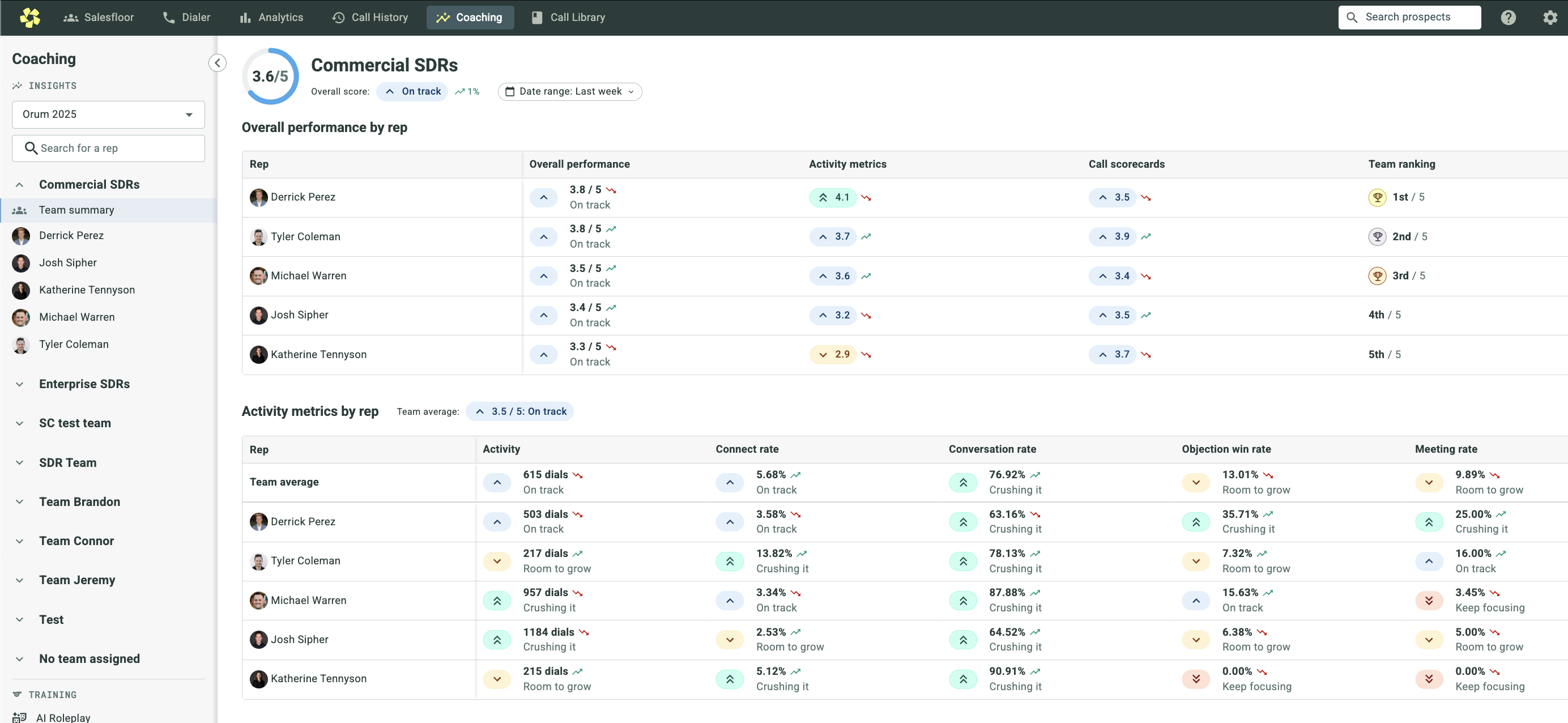
Orum's AI Coaching Suite serves as your 360-degree view of the entire team's performance, where AI surfaces identifies performance gaps and your reps have a safe place to practice before they ever speak to a real prospect.
Support article
Rep-Specific Performance
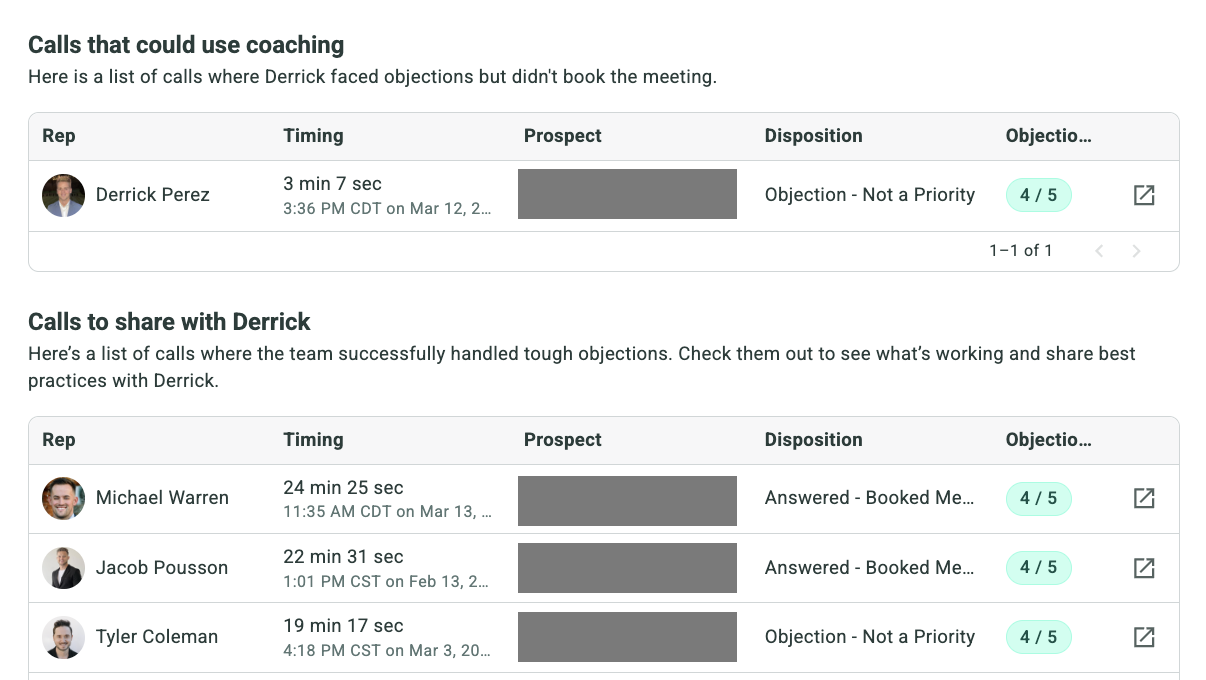
Quickly gauge a rep's health using a composite Overall Score based on both activity metrics and AI-driven call scorecards.
Support article
AI-Generated Focus Areas
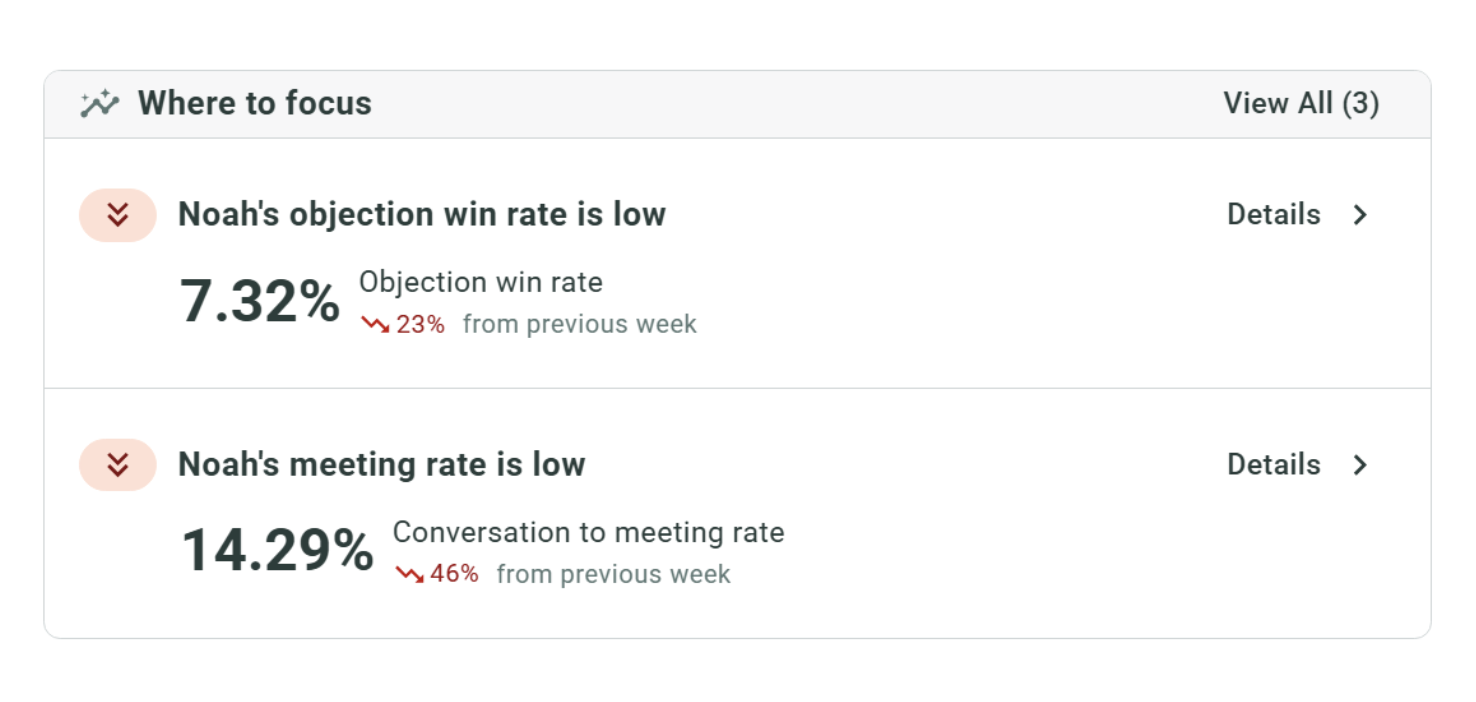
Use the AI-generated "Where to Focus" panel to see exactly which skills are lagging - whether it’s Discovery, Objection Handling, or Tone.
Save time by using AI-Generated Playlists
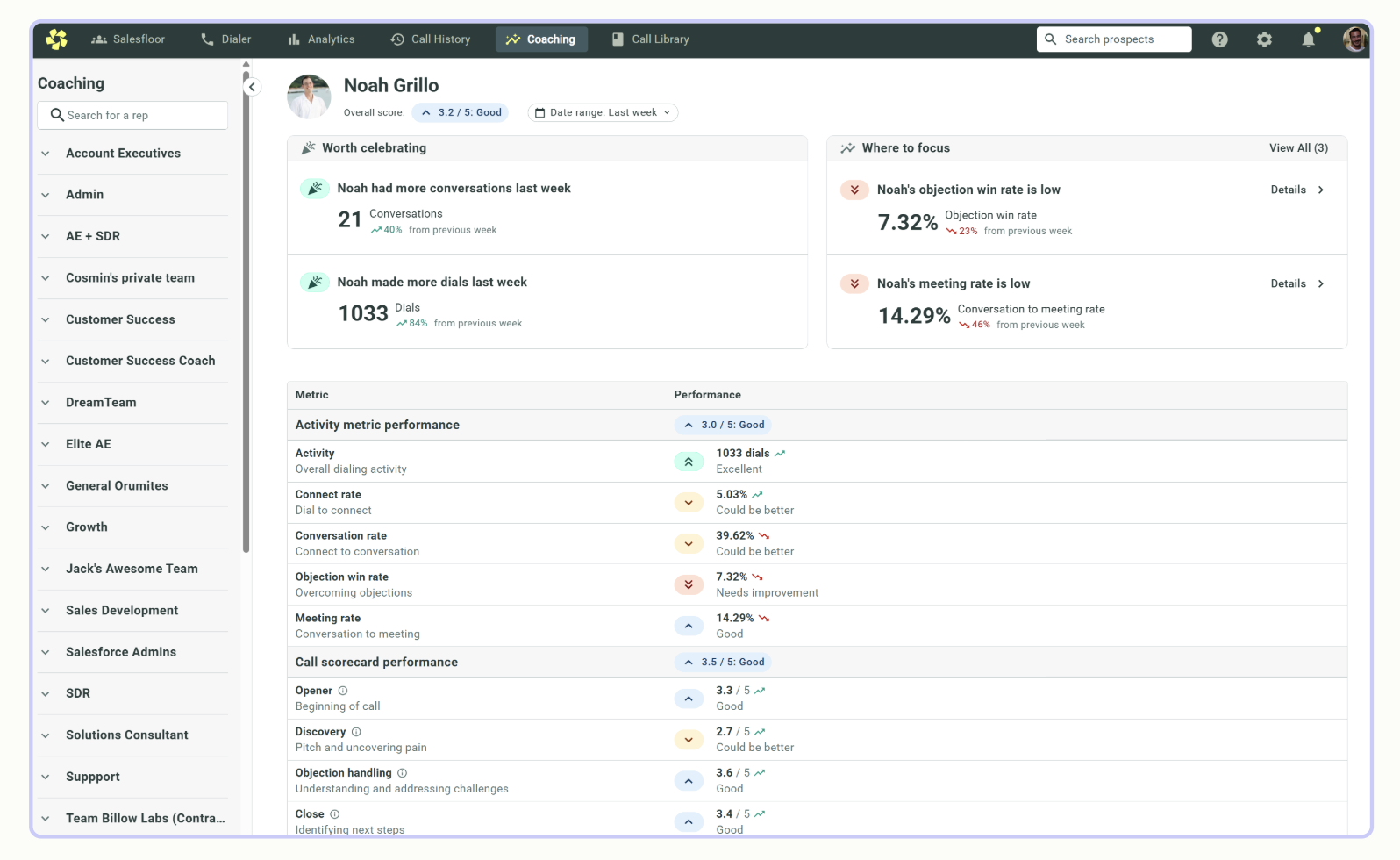
The "Calls Needing Coaching" list automatically flags the recordings that will benefit most from your feedback
The "Calls to Share" list highlights successful peer examples to encourage team learning.
AI Scorecards: Automated Feedback for Every Call
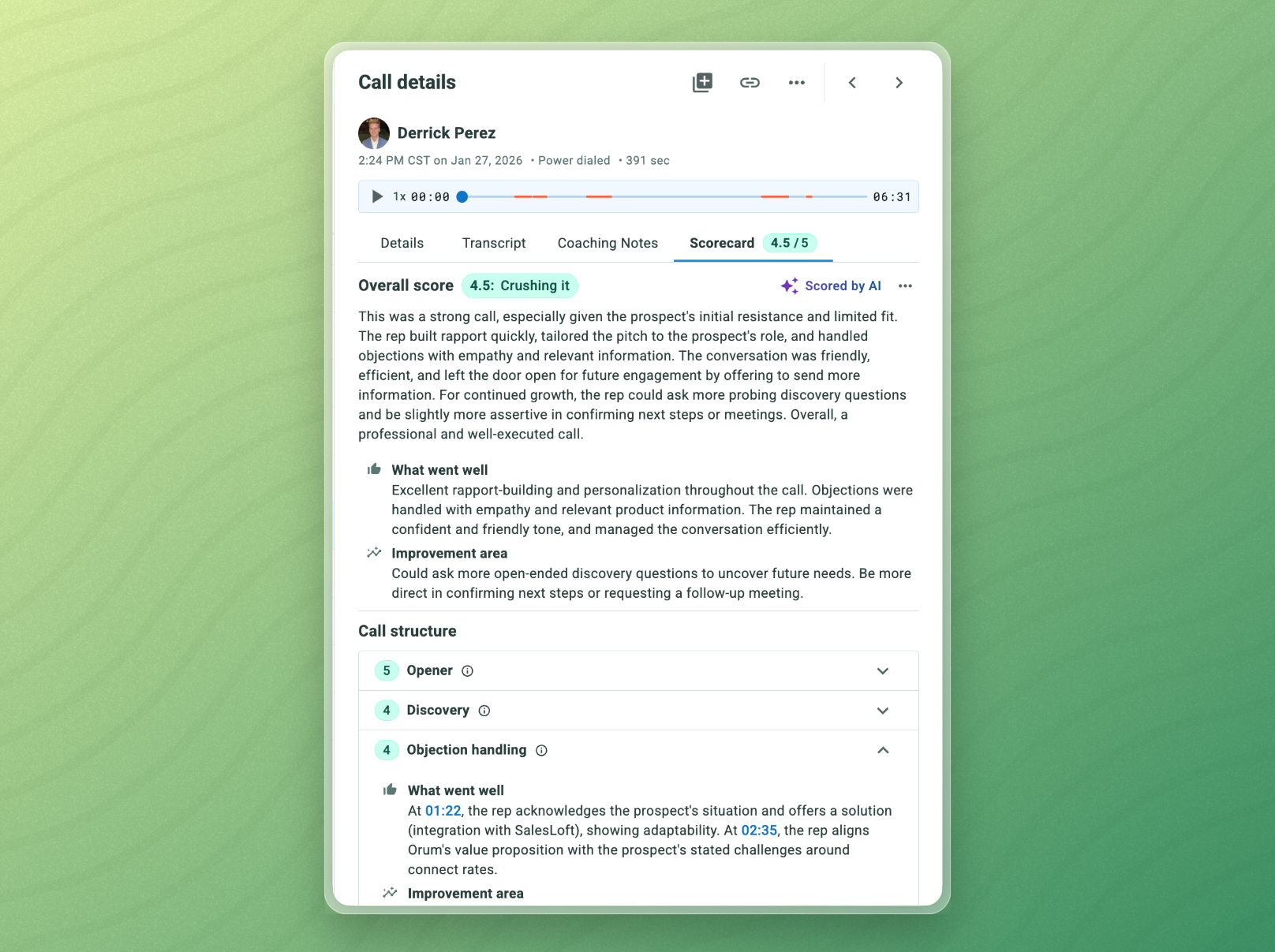
AI Scorecards automatically evaluate recorded calls and assign a performance score (1–5) based on performance across key areas like the opener, discovery, objection handling, and more. The higher the score, the stronger the rep’s performance. Each section also includes clear feedback on what went well and what could be improved.
Structured Evaluation: Every call is analyzed and scored (1–5) across key phases like the Opener, Discovery, Objection Handling, and the Close
Actionable Insights: For each section, the AI provides a summary of what went well and specific suggested areas for improvement.
Support article
Customizing AI Scorecards
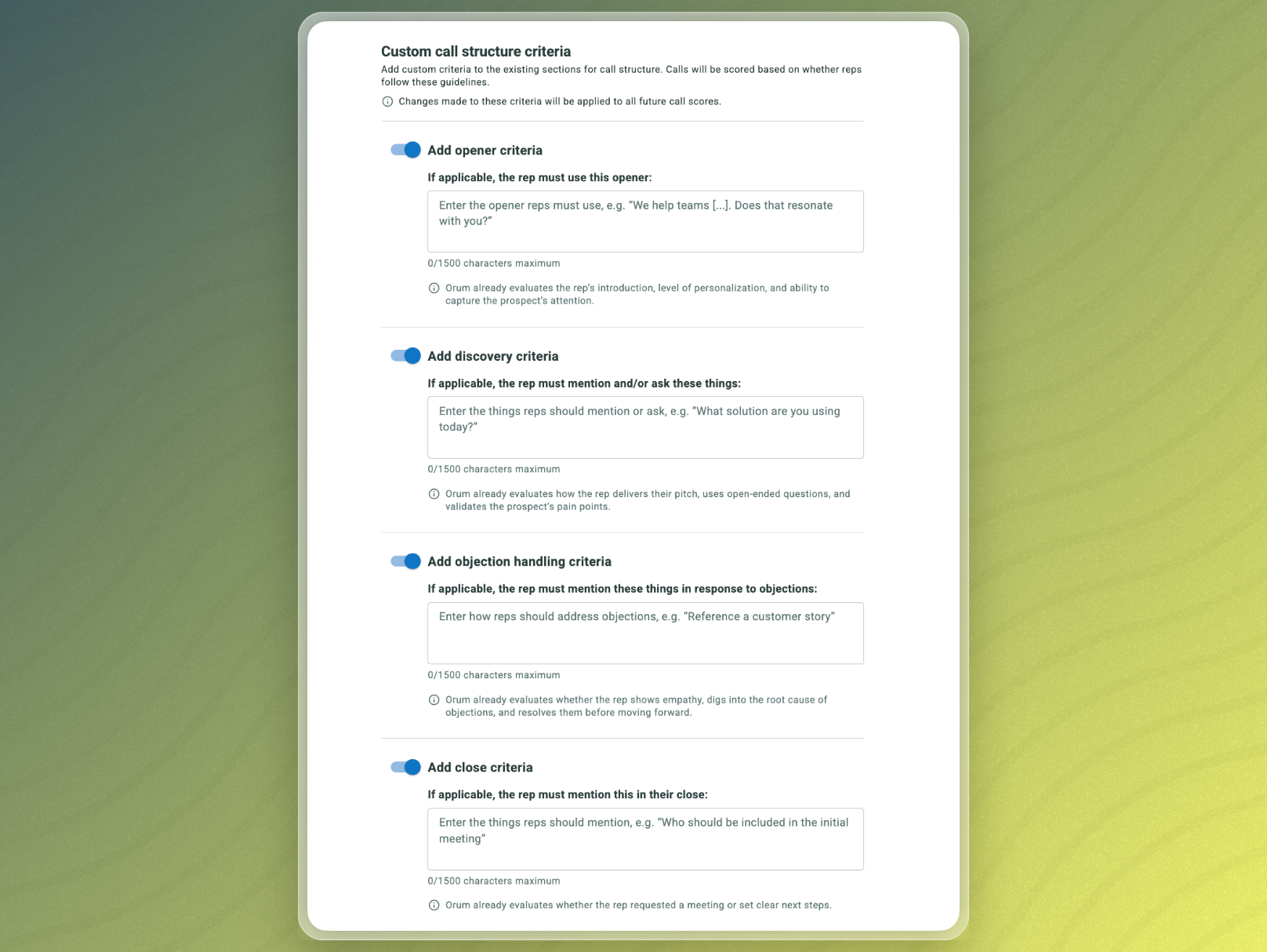
Custom AI Scorecards let you tailor coaching criteria to different sales motions, products, or verticals - ensuring reps are measured against what truly matters for their role.
Note: Only admins can create or edit scorecards in Orum.
From the Coaching Tab in the navigation bar, click "Coaching Settings" in the lower-left corner.
In the left-hand bar, click "Scorecards"
Click the blue "+ Add Scorecard" button
Here, you’ll see:
Your Default Scorecard, which can be edited and applied universally. You can add new sections, and custom criteria around Openers, Discovery, Objection Handling, and Closing.
Any Custom Scorecards you or your team have previously created.
Support article
AI Roleplay: Practice with Purpose
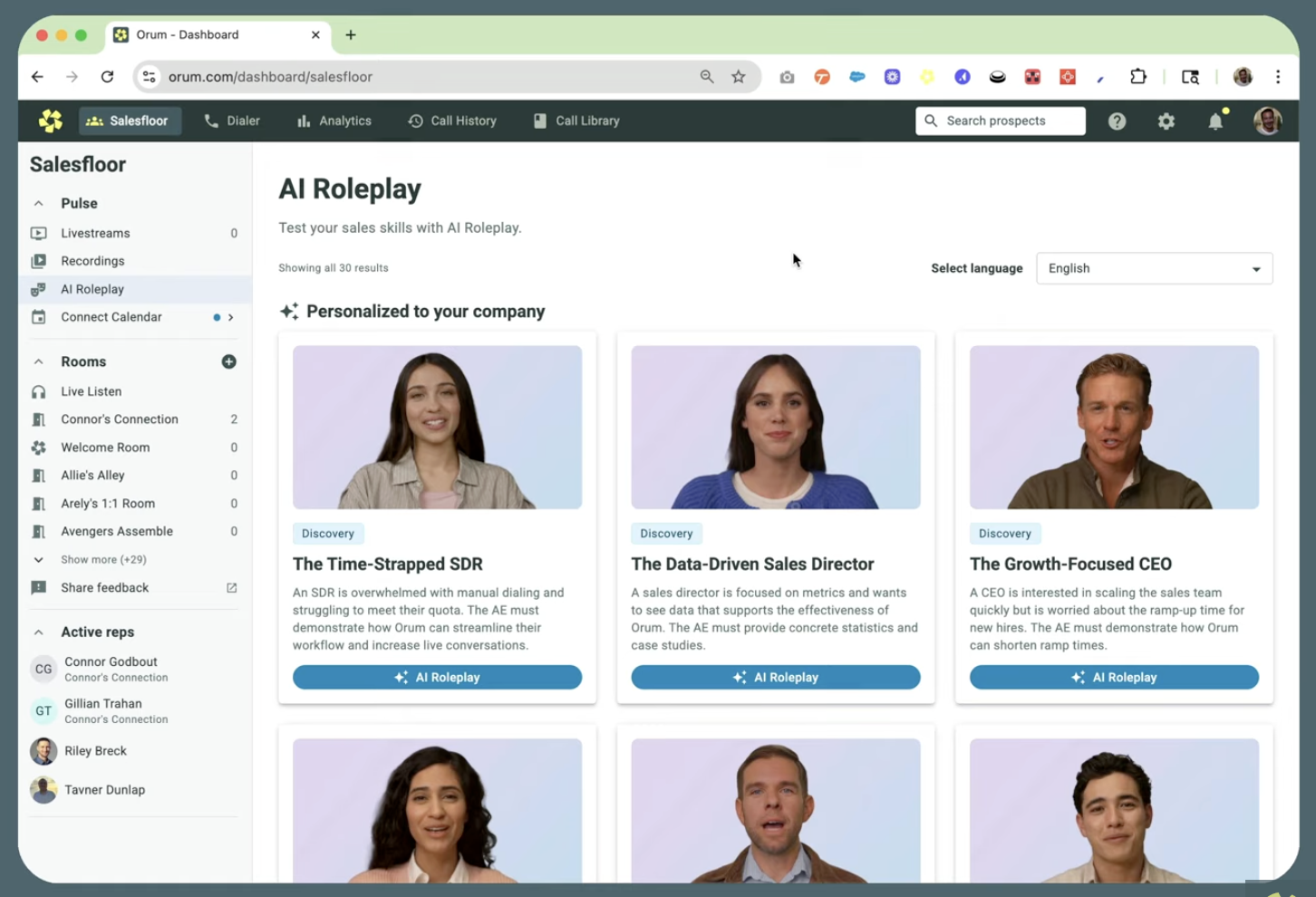
Orum’s AI Roleplay Agents help your reps sharpen their skills through realistic, on-demand sales simulations. Whether you're prepping for a cold call, handling objections, or navigating a competitive deal, AI Roleplay allows you to practice with a responsive, intelligent avatar - anytime you need it.
Realistic Scenarios: Reps can choose from pre-built scenarios covering real-world challenges like budget rejections, competitor head-ons, or winning back lost deals.
Pause, Ask, Coach: During a session, a rep can pause the simulation at any time to ask the AI for real-time coaching or suggestions on how to handle a specific objection.
How To Access AI Roleplay
Click the Coaching Tab in the Navigation bar
In the lower-left corner, click “AI Roleplay”
Support article
Custom Roleplay Scenarios: Scaling Your Gold Standard
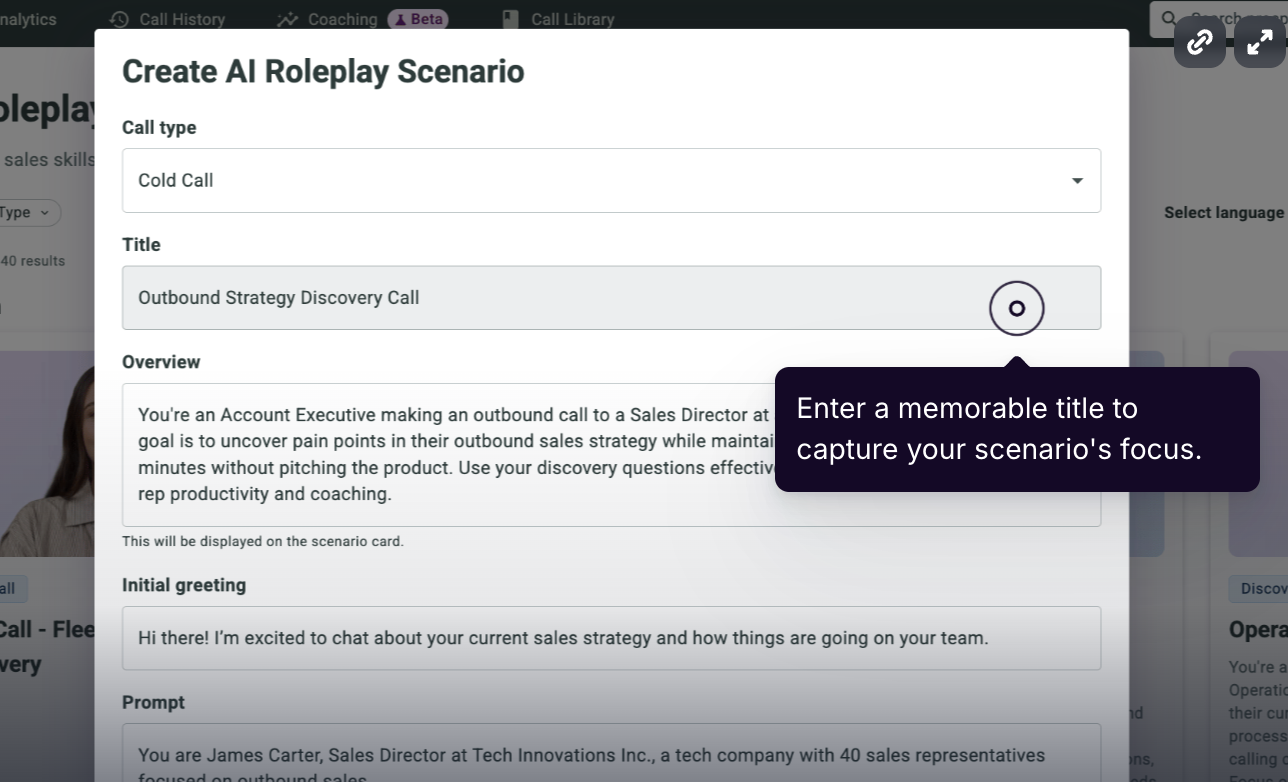
Custom AI Roleplays allow managers and enablement teams to build training scenarios that reflect real conversations your reps face. Whether it’s a cold call, discovery meeting, or tricky objection, these scenarios are fully customizable and shared across your team.
Design the Persona: You can define the objective, the buyer’s title (e.g., Director of IT), the difficulty level, and the specific tone of the prospect.
Automated Prompts: Orum's AI will generate a detailed roleplay prompt based on your objectives, which you can then refine and publish to your team's Roleplay Library.
Holistic Workflow: This creates a complete cycle for improvement: the system identifies a weakness in the portal, you diagnose it with a scorecard, and the rep immediately enters a custom roleplay to get better.
1. Click the Coaching Tab in the Navigation bar
2. In the lower-left corner, click “AI Roleplay”
3. In the upper-right, click “Create Roleplay”
4. Select the “Call Type" (i.e. Cold Call, Discovery, Demo, or Objection Handling.)
5. Enter Rep Objectives. Enter the rep's goals, then click "Next".
6. Orum’s AI will generate a detailed roleplay prompt based on your objectives. You can refine the Roleplay Title, Description, Goals, Prospect Persona (i.e. Name, Title, Avatar, and Company), Prompt, and Initial Greeting from the Prospect.
7. Click Save
Once saved, the scenario will appear in your team’s Roleplay Library for reps to access and train on.
Tip for Better Prompts: Be specific about the persona (e.g., title, industry, tone), include the rep’s desired outcome, and mention any common objections the rep should practice navigating.
Support article
The goal of Orum's AI Coaching is to turn every conversation into a chance for your team to grow by making performance improvement transparent and scalable!
